
Add PalMaster to Discord
Install the bot into the server where players will catch, collect, and compete.
PalMaster Early Access
Public soft launch for Discord server owners
Turn your Palworld server into a living collection game. Give players a reason to check in, catch Pals, compare progress, and keep the Discord active.
PalMaster is in active development and ready for community soft-launch use while feedback shapes the next owner tools.
How PalMaster works
PalMaster keeps bot installation and dashboard login separate. After adding the bot, server owners and admins log in with Discord to select their installed server and configure public spawn settings.
Install the bot into the server where players will catch, collect, and compete.
Use Discord login so PalMaster can confirm which installed servers you own or manage.
Only servers where PalMaster is installed and you have owner/admin access are shown.
Open Public Spawns, enter a Discord channel ID, choose an interval, and save.
Players use /capture, chase public spawns, build profiles, and climb leaderboards.
See PalMaster in action
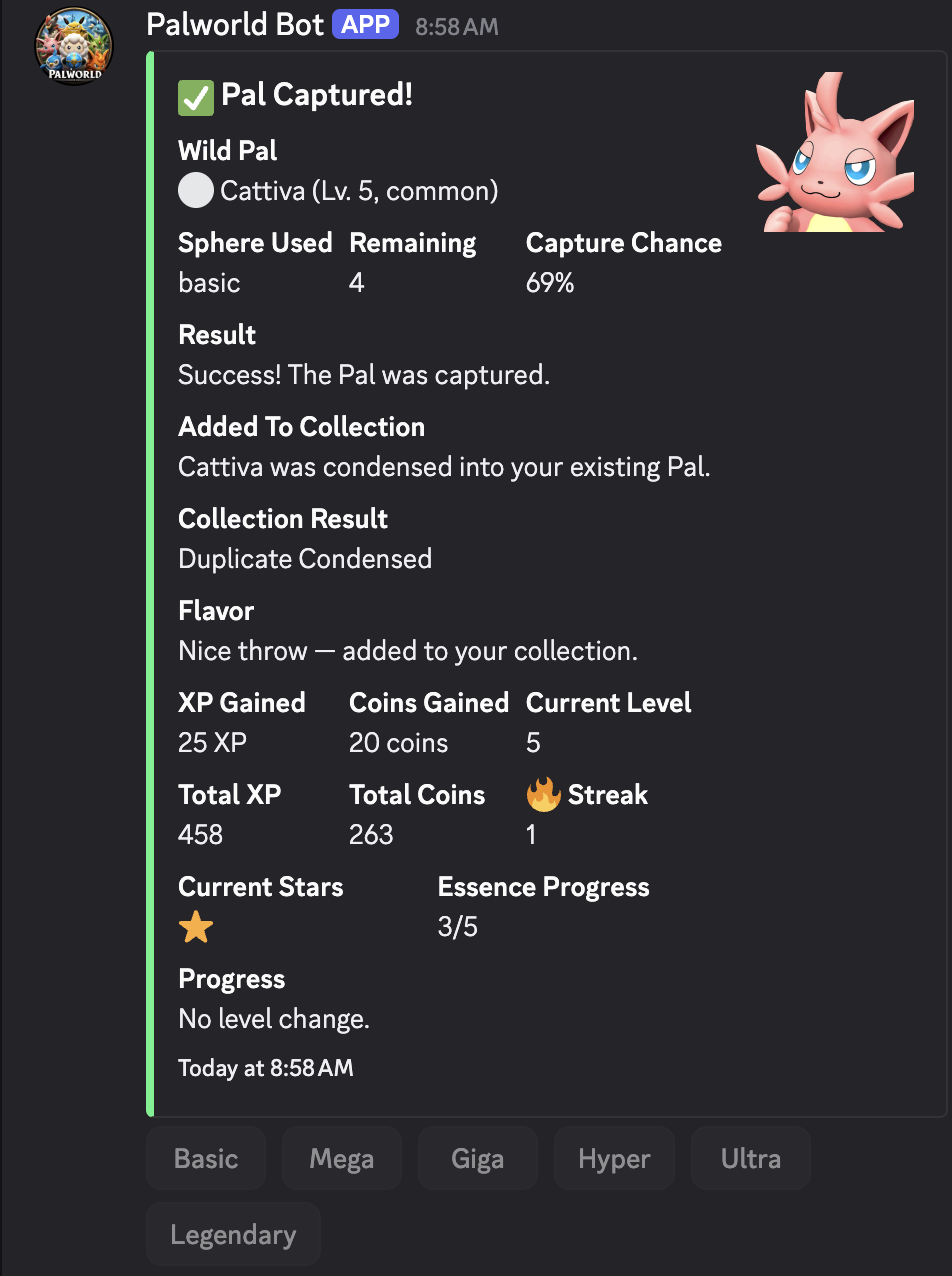
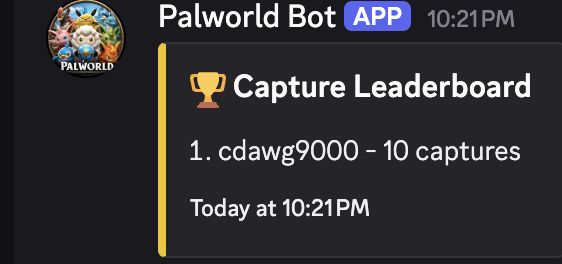
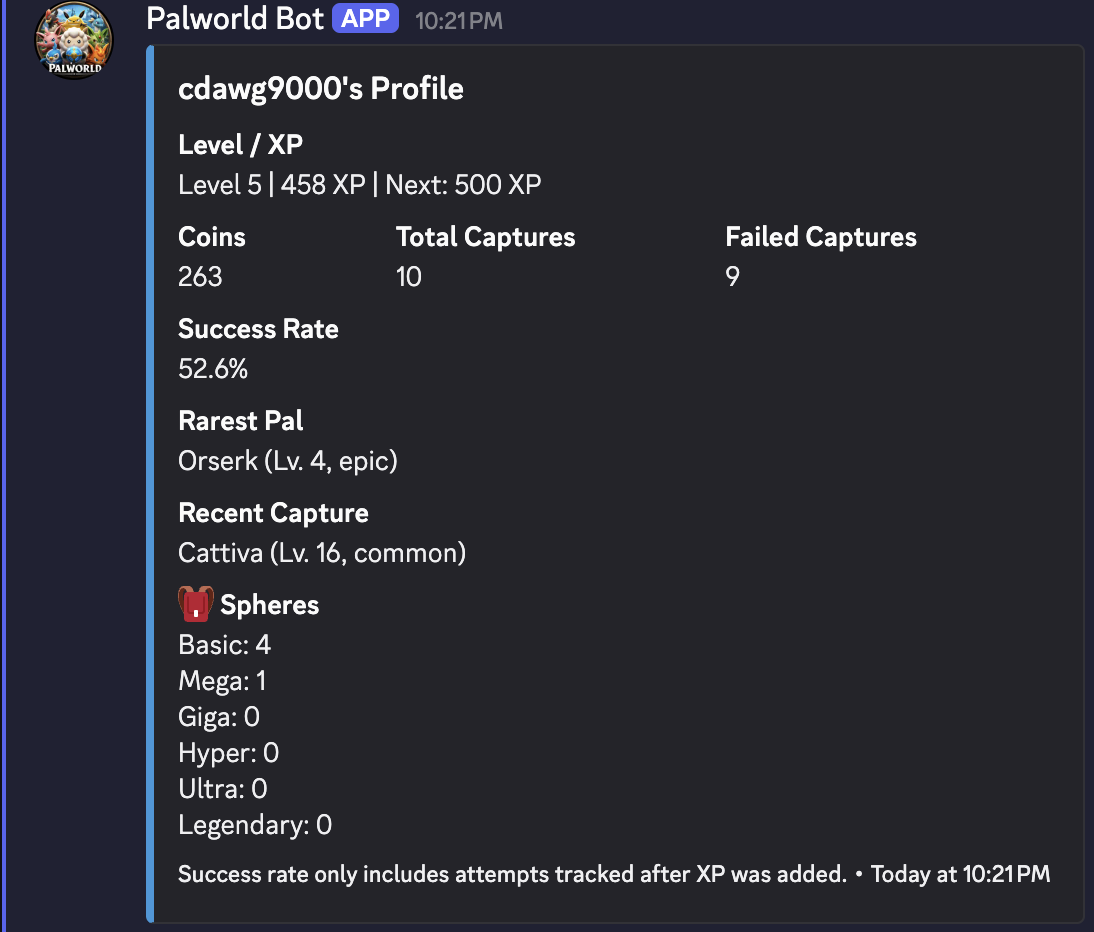
Screenshots from PalMaster show how players catch, collect, shop, and compete while server owners get a clearer read on community activity.
Turn chat activity into a shared hunt with capture results players can react to.
Players can see their level, coins, capture count, and active progress.
Let collectors compare progress and keep friendly rivalry moving.
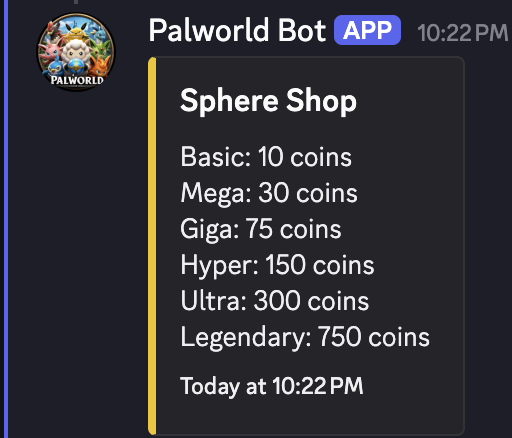
Give players a reason to earn, spend, and prepare for the next catch.
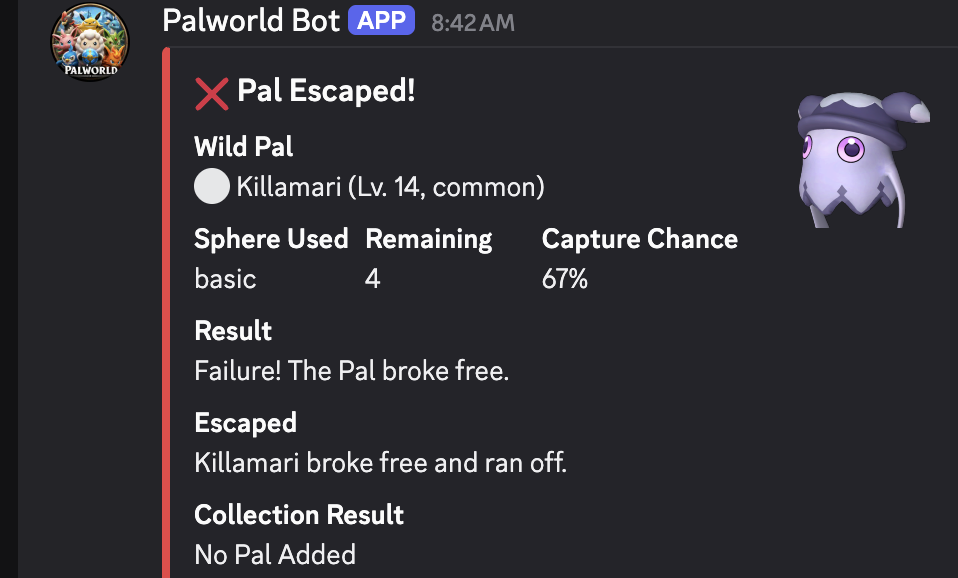
Misses make successful catches feel better and keep the next attempt interesting.
PalMaster is an independent fan-made Discord bot and is not affiliated with Pocketpair.
Owner value
Player-facing capture mechanics matter, but PalMaster helps server owners see what is working behind the scenes.
See players, captures, quest activity, recent events, and collection momentum without digging through chat history.
Spot early signs of player activity, stalled momentum, and prompts that can bring collectors back into the loop.
Use PalMaster activity as a server-specific engagement layer instead of a generic bot feed.
New servers get clear next steps: run /start, try /capture, claim /daily, check /quests, then review the dashboard.
PalMaster Dashboard
PalMaster gives server owners a quick read on what happened recently, which players are driving activity, how far the community has progressed through the Paldeck, and whether Public Spawns are configured for the selected server.
Player engagement loop
Players capture Pals, earn rewards, complete quests, compare collections, and come back for daily activity. PalMaster shows owners the community outcome behind those actions.
Community health
Track total players, captures, recent activity, daily quest participation, collection progress, and owner-facing engagement opportunities as your server builds the loop.
Free during early access. PalMaster is actively improving, but the current launch scope is focused: captures, daily rewards, quests, collections, leaderboards, public spawns, and owner visibility.
FAQ
No. Collection features are part of the loop, but PalMaster is positioned around owner visibility, retention, and community engagement.
Yes during early access. Premium owner tools may come later, but Stripe and billing are not part of this phase.
Yes. PalMaster is in early access, so features may improve over time. The current public scope is intentionally focused on the core collection loop and owner dashboard basics.
Players can use the current Palworld loop: starter rewards, captures, daily rewards, quests, Palbox/profile views, leaderboards, and public spawns.
PalMaster Dashboard shows owner-facing activity such as total players, captures, owned Pals, daily quest activity, top collectors, Paldeck progress, and recent activity.
Yes. Dashboard access is available to server owners and admins with Discord permissions.
No. Bot installation and dashboard login are separate OAuth flows.
Log in with Discord, select your installed server dashboard, configure Public Spawns, then try /capture and invite players into the loop.
Use the support link when configured. During early access, feedback and install issues should be routed through the support community.
No. Billing and Stripe are intentionally out of scope for this phase.
Soft launch
Install access may require an early-access invite or configured bot invite URL.